
Static vs dynamic QR codes for restaurant menus
The code you print will outlive your menu, your prices and maybe your software. How static and dynamic QR codes differ, who controls the link, and what to check before printing.
Menyo Team
June 3, 2026
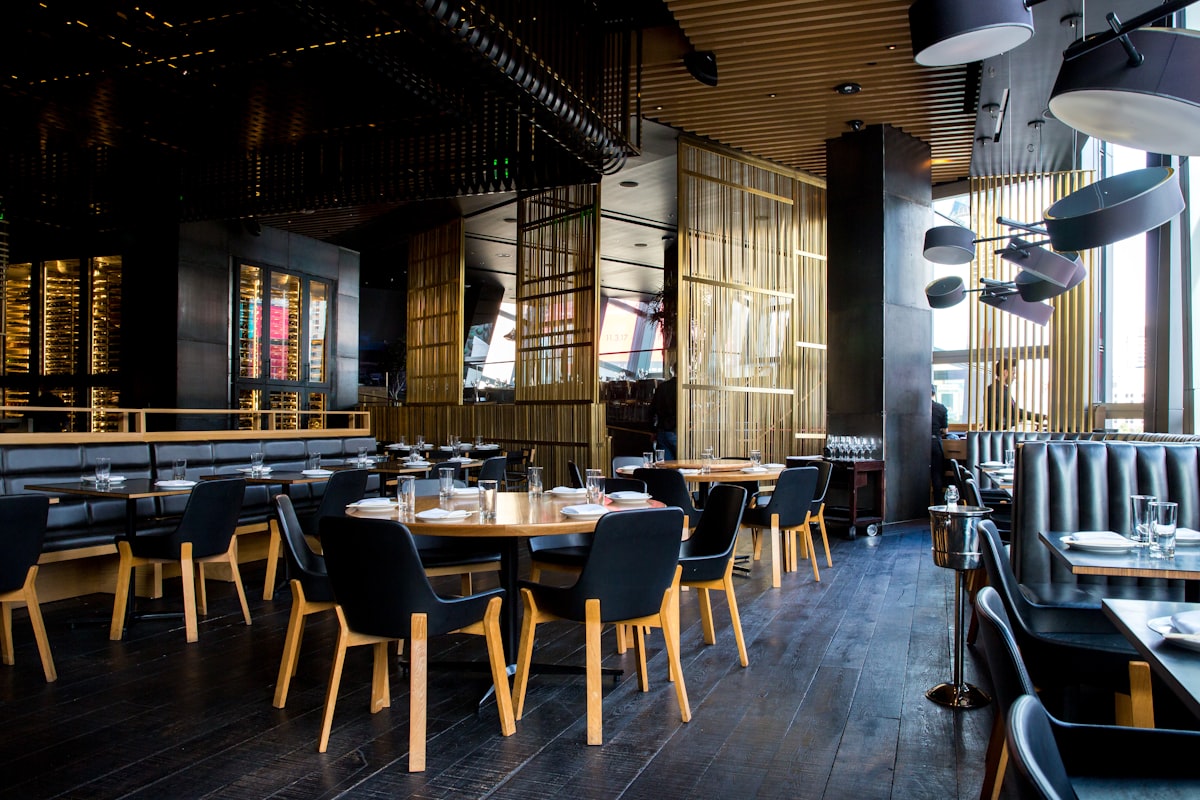
Picture 40 acrylic table stands, a sticker on every one, and a PDF menu behind the code. Six months later you raise prices, change the PDF's file name, or move to a different menu platform. Every one of those stickers now opens an error page, and you find out when a guest waves the waiter over to show you.
Whether that happens depends on one decision you make before printing: static or dynamic code. This guide explains what is actually stored inside each type, why the question "who controls the link" matters more than the label, what scan tracking can and cannot tell you, and the print specs that make a code scan first time in a dim dining room.
1What is actually inside the square
A QR code stores a short piece of text. For a menu, that text is a web address. The phone reads it and opens the page. That is all.
- A static code stores the final address directly, for example a long link to a PDF on a file-sharing service. To send guests anywhere else, you must print a new code.
- A dynamic code stores a short address that belongs to a redirect service. When scanned, the service forwards the guest to wherever you have currently set it to go, and usually counts the scan on the way.
So "dynamic" does not describe the printed square, which never changes. It describes the fact that the destination can be changed after printing.
There is a practical bonus: the shorter the address inside, the fewer dots the code needs. A code holding a long file link is denser and harder to scan on small table stickers than one holding a short redirect link.
2The real question: who controls the redirect?
Dynamic codes solve the reprint problem, but they introduce a dependency. Whoever owns the short link owns your printed material.
| Setup | Survives a menu update? | Survives a platform change? | Main risk |
|---|---|---|---|
| Static code to a PDF file | Only if you overwrite the same file at the same address | No | Broken link if the file moves or is renamed |
| Static code to your menu platform's page | Yes, the page updates | No | Reprint everything if you switch platforms |
| Dynamic code from a generic QR generator | Yes | Yes, if you repoint it | Some generators disable codes when a trial or subscription ends |
| Dynamic code on your menu platform | Yes | Depends on whether the platform lets you redirect elsewhere | Tied to that platform |
| Code pointing to your own domain, which you redirect | Yes | Yes | You must keep renewing the domain |
The most robust setup for a restaurant that expects to be around for years is a short address on a domain you own (for example yourrestaurant.com/menu), redirected to whichever menu platform you use. Change platforms, change the redirect, keep the stickers.
Mistake: printing hundreds of codes from a free generator's trial.
→ Fix: before printing, read what happens to the code when the trial ends. If the answer is "it stops working" or "it shows an ad page", do not print it on anything you cannot throw away.
3What scan tracking tells you, and what it does not
Because every scan passes through the redirect, dynamic codes can count scans and record rough context: time of day, device type, approximate city. For a restaurant this can answer useful questions:
- Which tables or areas scan most? A terrace that scans less may have a lighting or placement problem.
- When do scans peak? That is a staffing signal.
- Did the QR on the takeaway bag or the flyer get scanned at all?
What it cannot tell you: whether the guest ordered, what they looked at, or who they are. A scan is a visit to the door, not a sale. Scan counts also include staff testing codes and the same guest scanning twice. Treat them as trends, not exact counts.
Use separate codes for separate placements (each table, the window, the bag insert) if you want to know which one works. In Menyo, every menu gets a QR code that resolves through a short link and counts scans, and you can create per-table codes with table-level scan analytics. Menu changes show up behind the same code instantly, and if you change your menu address, the old address keeps redirecting. Plans cap the number of QR codes (3 on Starter, 15 on Growth, 50 on Professional), so count your tables before choosing. For turning those numbers into decisions, see what your menu analytics are telling you.
4Single-use versus reusable codes
A different question sometimes gets mixed in: should the code at the table be the same every day, or change per guest?
- Reusable table codes are printed once and stay on the table. Almost every restaurant uses these. They are simple, cheap, and each can be tied to a table number so orders arrive tagged with where to take them.
- Single-use codes are generated for one visit or one order, printed on a receipt or shown on a screen, and expire. They prevent someone from photographing a table code and placing orders from home.
For most restaurants, single-use codes add friction for a problem that rarely happens. Sensible safeguards with reusable codes:
- Only accept table orders during service hours.
- Train staff to check that an order from Table 12 matches an occupied Table 12 before firing it.
- Rate-limit call-waiter requests (Menyo allows one call per table every five minutes).
- Check codes weekly for stickers placed over yours. Fake codes stuck on top of real ones are a known trick in car parks and on menus.
5Print specs that scan first time
- Size by distance. A common rule of thumb is that the code should be at least one tenth of the scanning distance. A guest scanning from 30 cm needs roughly a 3 cm code; a poster read from 2 metres needs about 20 cm.
- Leave the margin. The QR standard expects a blank border (quiet zone) around the code about four modules wide. Frames and patterns that crowd the edge cause misreads.
- Dark on light. Inverted codes (light on dark) fail on some older phones. If you use brand colours, keep strong contrast and test.
- Matte, not glossy. Overhead spotlights on a glossy laminate create glare right across the code.
- Logos in the middle need higher error correction. QR codes have four error-correction levels, L to H. Branded codes with a logo should use a high level so the covered area can be reconstructed.
- Add words. "Scan for the menu, Arabic and English" next to the code tells guests what they get and removes hesitation.
For where to put codes around the room, read the guide to QR menu placement.
6Checklist before you send anything to the printer
- I know who controls the link inside the code, and what happens if I stop paying them
- The code points to a live menu page, not a file that will be renamed
- Each placement that I want to measure has its own code
- I have tested a printed proof with an old Android phone and an iPhone, in the actual lighting
- The code size suits the scanning distance and has a clear border
- The finish is matte and there is a short line of text telling guests what the code opens
7Frequently asked questions
Do dynamic QR codes expire?
The printed code never expires; the redirect behind it can. If the service that owns the short link shuts the link down, the code stops working. That is why it matters who controls it.
Are static QR codes more reliable?
They have no middleman, so nothing in between can fail. But they break as soon as the destination moves, which for menus happens often. For a menu, a dynamic code or a code pointing to a domain you control is usually the safer choice.
Can I change a static code into a dynamic one?
No. The address is baked into the printed pattern. You can only keep the destination alive, for example by setting up a redirect on the old address if you control it.
Does scanning a dynamic code slow the menu down?
The redirect adds a small extra step, which is usually unnoticeable on a decent connection. A heavy menu page with huge photos is a far bigger cause of slow loading.
8Print once, change forever
The printed square is the most permanent part of your digital menu. Put a link inside it that you control or that your platform keeps alive, give each placement its own code if you want to measure it, and test a real print in your real lighting before ordering hundreds.
Menyo generates branded, per-table QR codes that keep working when your menu changes. Start a trial and print a test code today.
Ready to digitize your menu?
Create a beautiful QR menu from a photo in minutes—the AI scan takes about 60 seconds. AI extracts items and prices automatically.
Try Menyo Free