
QR vs NFC menus: which contactless option is worth it?
NFC tags feel premium and work in a dark bar. QR codes work on almost every phone and cost nothing to print. When each one wins, and why the best table stand often carries both.
Menyo Team
June 3, 2026
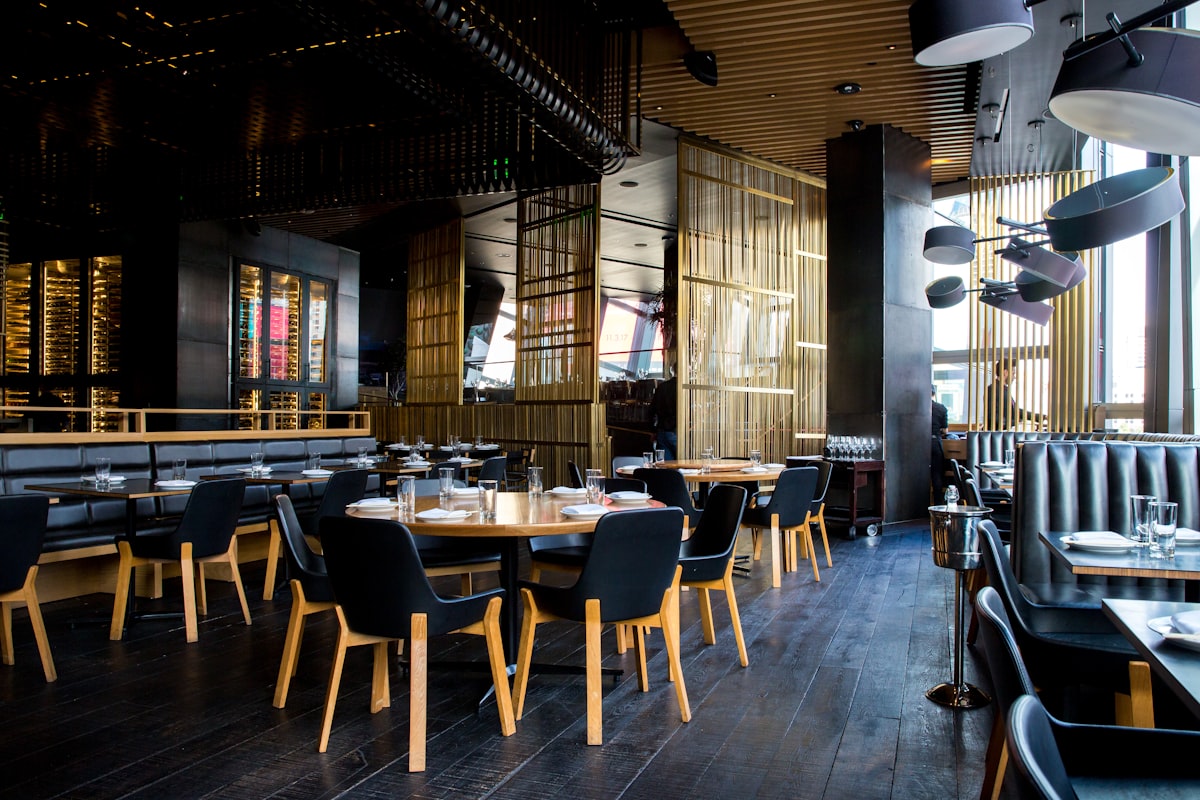
A guest at a lounge in Zamalek holds their phone over a small wooden coaster and the menu opens. No camera, no focusing, no "hold on, it is too dark". That is the pitch for NFC menus, and in the right venue it is a genuinely nicer experience than scanning a QR code.
It is also a solution with blind spots. Some phones cannot read the tag at all, most guests do not know they are supposed to tap, and a tag that stops working gives no visible sign. This article compares the two on what actually matters on a restaurant floor: which phones work, what it costs per table, how long it lasts, how guests behave, and which venues should bother. The short version is that most venues should not choose one or the other.
1How each one works at the table
QR: the guest opens the camera, points it at a printed pattern, taps the link that appears. It needs light, a steady hand and a camera app that recognises codes, which almost every current phone has.
NFC: a small passive chip (no battery) sits inside a sticker, coaster or table stand. When a compatible phone is held within a few centimetres, it reads the web address stored on the chip and offers to open it. It needs no light and no aiming, but it does need the right hardware, and the guest must know to tap.
Both do the same job in the end: they hand the phone a link to your menu. Everything about your menu itself (the design, languages, ordering) is identical whichever route the guest takes.
2Phone compatibility: the biggest difference
| Phone | QR code | NFC tag |
|---|---|---|
| Recent iPhones (XS and later) | Built into the camera | Read in the background while the screen is on and the phone is in use |
| Older iPhones (7 to X) | Built into the camera on current iOS | Need the NFC reader opened from Control Center, which few guests know about |
| Android phones with NFC | Camera or Google Lens | Works if NFC is switched on in settings |
| Budget Android phones without NFC | Camera or Google Lens | Does not work at all |
That last row matters in Egypt and much of the region, where many guests carry entry-level Android phones. Some budget models skip the NFC chip, and some users switch NFC off. A QR code works on nearly every phone with a camera. An NFC tag works on a subset. That alone is why NFC should almost never be your only option.
3Cost per table
Do not trust anyone's generic price list; prices vary with supplier, quantity and finish. Instead, get quotes and work out the cost per table:
Cost per table = tag or insert + stand or holder + your time to program and test + expected replacements over the year
Compare line by line:
- QR: printing a sticker or card is cheap; the holder (acrylic stand, wooden block, table tent) is the real cost. Reprinting a damaged code is quick and anyone can do it.
- NFC: the tag itself is usually inexpensive, but NFC stands with a tag embedded cost more than a plain holder, and every tag has to be written with your link, locked and tested one by one. If a tag fails, replacing it means a new insert, not a print.
Illustration: say a plain acrylic QR stand costs you EGP 80 and an NFC stand with a printed QR on its face costs EGP 180. For 25 tables, the upgrade is EGP 2,500 in stands. That is small money for a fine-dining room, and real money for a café replacing stands every year because guests walk off with them.
4Durability and the "silent failure" problem
What breaks QR codes
Scratches, sun fading on terraces, sauce, glossy lamination under spotlights. The upside is that a damaged QR code looks damaged, so staff notice.
What breaks NFC tags
- Metal. Standard tags do not work stuck directly on metal tables or behind metal plates. You need tags designed for metal surfaces.
- Physical damage. A cracked coaster or a bent sticker can kill the antenna.
- Rewriting. A tag that was never locked can be overwritten by anyone with a free phone app, pointing your table to someone else's page. Always lock tags after writing them.
The awkward part: a dead NFC tag looks exactly like a working one. A guest taps, nothing happens, and they decide the restaurant's technology is broken. Build a weekly check into your opening routine: tap every tag with a staff phone.
Watch Out
Whatever you use, the link on the tag or code should point to an address that stays stable when your menu or platform changes. Rewriting 30 NFC tags is far more work than updating one redirect. Read static versus dynamic QR codes first; the same logic applies to NFC.
5Guest behaviour: scanning is learned, tapping is not yet
QR menus are now common in restaurants across the region, so many guests have scanned one before and know the routine. Tapping a phone on a table object to open a menu is still new to many people. Without instruction, a lot of guests will look for a code to scan, find none, and call the waiter.
If you add NFC:
- Print a clear instruction on the stand: "Tap your phone here or scan the code", in Arabic and English.
- Show the tap area with a small phone icon so guests know where to hold it.
- Brief your staff to demonstrate once per table on the first visit. After one demonstration, regulars remember.
6Recommendation by venue type
| Venue | Recommendation | Why |
|---|---|---|
| Bar, lounge, rooftop at night | NFC plus QR on the same holder | Low light makes camera scanning slow; NFC does not need light. See Menyo for bars |
| Fine dining | Discreet NFC coaster or card, with a small QR as backup | A tap feels closer to the service style than a printed sticker. See fine dining |
| Café or casual restaurant | QR only | High turnover, stands go missing, guests already know QR |
| Beach, pool or terrace | QR on a weather-resistant stand, NFC optional | Sun and water are hard on both; keep replacements cheap |
| Hotel rooms | Both, on the room-service card | International guests carry a wide range of phones |
| Food truck or kiosk | Large QR on the window | Guests scan from a distance while queuing; NFC needs them at arm's length |
7Frequently asked questions
Do all iPhones support NFC menus?
iPhone XS and later read tags in the background while the screen is on and the phone is in use. iPhone 7 to X can read them through the NFC reader in Control Center, which most guests will not know to use. Always offer a QR code as well.
Is NFC more secure than QR?
Not automatically. NFC tags that were never locked can be rewritten and QR stickers can be covered with fake ones. Lock your tags after writing and check both kinds of code regularly.
Can one table stand carry both?
Yes, and that is usually the best option: an NFC insert inside the stand and a printed QR on its face, both pointing to the same menu link.
Does my menu platform need to support NFC?
No. An NFC tag just stores a web address. Any menu that opens from a link, including a Menyo menu or its per-table link, can be written to a tag with a free phone app.
8Where to spend the money
If your venue is dark, premium or both, NFC is a small upgrade that guests notice. Everywhere else, spend the money on a clear, fast, bilingual menu behind a well-printed QR code, because that is what guests actually judge. For placement ideas that apply to both, see the QR menu placement guide.
Menyo gives you per-table menu links that work behind a QR code, an NFC tag or both. Start a trial and test them at your own tables.
Ready to digitize your menu?
Create a beautiful QR menu from a photo in minutes—the AI scan takes about 60 seconds. AI extracts items and prices automatically.
Try Menyo Free