
QR menus for fast food and QSR: speed, combos and menu boards
How quick-service operators use QR menus to shorten queues, structure combos, keep boards and digital prices aligned, and read high-volume sales data.
Menyo Team
June 16, 2026
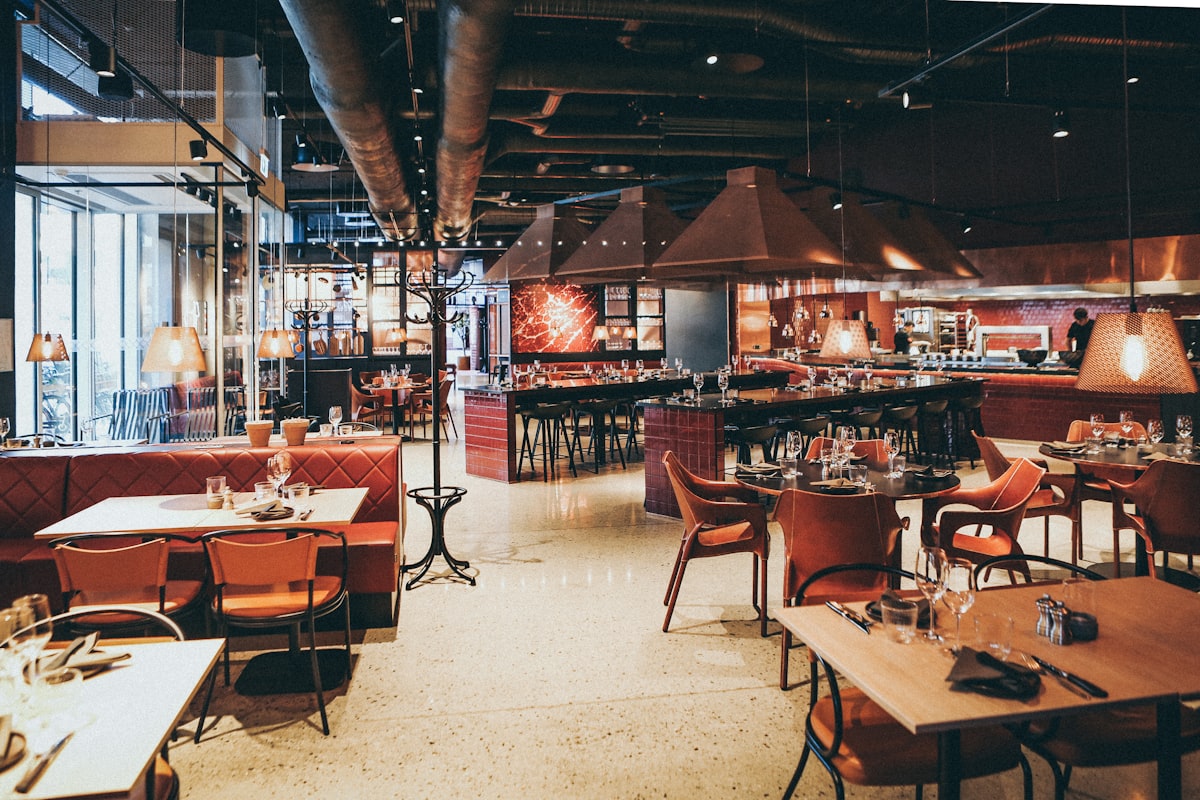
In fast food, the menu is part of the production line. If a guest spends forty seconds at the till deciding between the chicken meal and the beef meal, that is forty seconds nobody behind them is being served. At 2 pm on a Friday, those seconds are the difference between a line that moves and a line that walks out.
This guide is for burger, shawarma, fried chicken, koshary and other quick-service operators. It shows where queue time actually goes, how to build combos that are easy to order and profitable, how to keep menu boards and the QR menu saying the same thing, and which numbers to watch when you serve hundreds of orders a day.
1Where the time goes in a queue
Break a counter order into its parts and time each one at your own branch with a stopwatch for an hour:
- Reading the board and deciding.
- Telling the cashier and correcting the order.
- Paying and waiting for change.
- Waiting for the food at the pickup point.
The first two are where a QR menu helps. The simple maths: if one order takes 90 seconds at the till, a single cashier can take about 40 orders an hour. Cut that to 60 seconds and the same cashier handles about 60. You have added capacity without adding a person, and the only change was moving the decision away from the till.
There are three ways to do it, in increasing order of effort:
| Setup | What the guest does | What it fixes |
|---|---|---|
| QR signs along the queue | Browses the full menu on their phone while waiting | Deciding time at the till |
| QR ordering at seated tables | Orders from the table, pays at the counter or when served | Removes seated guests from the queue entirely |
| Live order status page | Watches the order go from received to preparing to ready | Crowding at the pickup counter |
On Menyo, a browse-only menu is available from Starter ($19/month). Table ordering starts on Growth ($49/month). After ordering, the guest lands on a confirmation page that shows the order status live as the kitchen moves it along, so they stay seated until it says ready.
2Combos: pre-built meals versus a combo builder
Combos are where QSR margin lives, and they are also where menus get messy. There are two ways to structure them.
| Pre-built combos | Combo builder | |
|---|---|---|
| How it looks | "Meal 3: Double burger, fries, soft drink" | "Make it a meal" option on any sandwich, with side and drink choices |
| Speed at the till | Fastest: guests order by number | Slower, more choices |
| Menu length | Grows with every main | Stays short |
| Best for | Boards, drive-through, peak hours | QR and table ordering, where the guest has time |
Most operators should use both: six to eight numbered combos on the board for speed, and meal versions of your main sandwiches in the QR menu. Many menu systems, Menyo included, cannot reveal a group only after another option is picked, so do not hang required side and drink choices on a plain sandwich. Instead, keep each meal as its own item ("Chicken burger meal") with a required side choice, a required drink choice and an optional "Upsize" with its own price. The plain sandwich stays a separate item with an optional "Add fries" choice for guests who only want one extra.
Price combos from the parts. Add up the individual prices, subtract the saving you want to give, and check the food cost of the whole meal still works. Then show the saving in the description ("Save EGP 35 vs ordering separately"), because that line is what makes the combo sell.
Pro Tip
Track your combo attach rate: meals sold divided by mains sold. If it is low, the problem is usually visibility, not price. Move the meal option higher and add a photo of the full tray.
3Keeping menu boards and the QR menu in sync
Nothing damages trust faster than a board that says EGP 145 and a till that charges EGP 165. Most QSR menu errors come from having more than one place where prices are written down. The fix is a process, not a gadget:
- One source of truth. Decide that the digital menu is the master list. Every price or item change is made there first.
- A change log. A shared note with the date, item, old price, new price and who changed it.
- Same-day board update. Whoever changes the digital menu is responsible for the board that day, even if that means a printed sticker until the new panel arrives.
- Boards carry less. Put only the numbered combos and top sellers on the board. The full list lives on the QR menu, so there are fewer prices to keep aligned.
- Breakfast and late-night. If your board changes by time of day, the QR menu needs the same categories with the serving hours in the category name.
If you run digital screens, check whether your screen software can pull from your menu system or whether someone retypes the prices. Retyping is where the errors come from. Menyo does not drive in-store TV screens, so if you use it alongside screen software, the change log above is what keeps them aligned.
4Getting orders to the kitchen fast
Faster ordering only helps if the kitchen keeps up. At high volume, paper tickets get lost, stuck together, or read out of order. A kitchen display shows every ticket in columns (pending, preparing, ready) with each choice listed, and the status the cook sets is what the guest sees on their phone.
Menyo's point of sale and kitchen display are part of the Professional plan ($99/month). Counter orders from the POS and orders placed by guests from the QR arrive on the same screen, so the kitchen works from one queue. For the trade-offs against paper tickets, see KDS versus paper ticketing.
Mistake: adding QR ordering while the kitchen still works from handwritten tickets.
→ Fix: decide how digital orders reach the line before launch. Either a kitchen screen, or a printed ticket from the dashboard, but never a cashier reading orders off a phone.
5The numbers worth watching at high volume
High-volume operators drown in data. Five numbers are enough for a weekly review:
- Orders per hour, by hour. Shows when to add a second cashier or a second person on the fryer. Menyo's sales reports include hourly heatmaps with peak-hour detection on Professional.
- Average order value. Total sales divided by number of orders. Compare week on week, not day on day.
- Combo attach rate. As above.
- Bottom sellers. The items that sell least each month. In QSR every extra item slows the line, so cut hard.
- Menu scans by hour. If scans peak well before orders do, guests are browsing in the queue, which is exactly what you want.
Our guide to menu engineering explains how to act on the item-level numbers once you have them.
6Consistency across branches
The moment you open a second branch, the menu problem changes from "keep it accurate" to "keep it identical". Prices drift, a branch manager adds a local special, and photos differ. Decide early which items are fixed across all branches and which a branch may change. The full playbook is in our guide to digital menus for chains and franchises.
7Frequently asked questions
Will a QR menu slow down QSR customers who just want to order?
Not if you keep the counter. The QR menu is an extra lane for people who are waiting or seated, not a replacement for the till.
How many combos should a fast-food menu have?
Six to eight numbered combos on the board is a practical ceiling. Beyond that, guests stop ordering by number and start reading, which is what combos are meant to avoid.
Can guests order takeaway from the QR menu?
On Menyo, table ordering starts on Growth, and takeaway and delivery order types are on the Professional plan, along with the POS and kitchen display.
8Start with one queue
Time your queue for one lunch rush, put QR signs along it, and time it again a week later. That single test will tell you more than any vendor pitch. Then add table ordering and a kitchen screen if the numbers justify them.
Put your fast-food menu on Menyo and run the queue test at your next lunch rush.
Ready to digitize your menu?
Create a beautiful QR menu from a photo in minutes—the AI scan takes about 60 seconds. AI extracts items and prices automatically.
Try Menyo Free