
QR menus for cafés in Egypt: the complete guide
A practical guide for Egyptian café owners: a drinks-first menu structure, specialty coffee details, all-day food, remote workers and a one-week switch plan.
Menyo Team
June 16, 2026
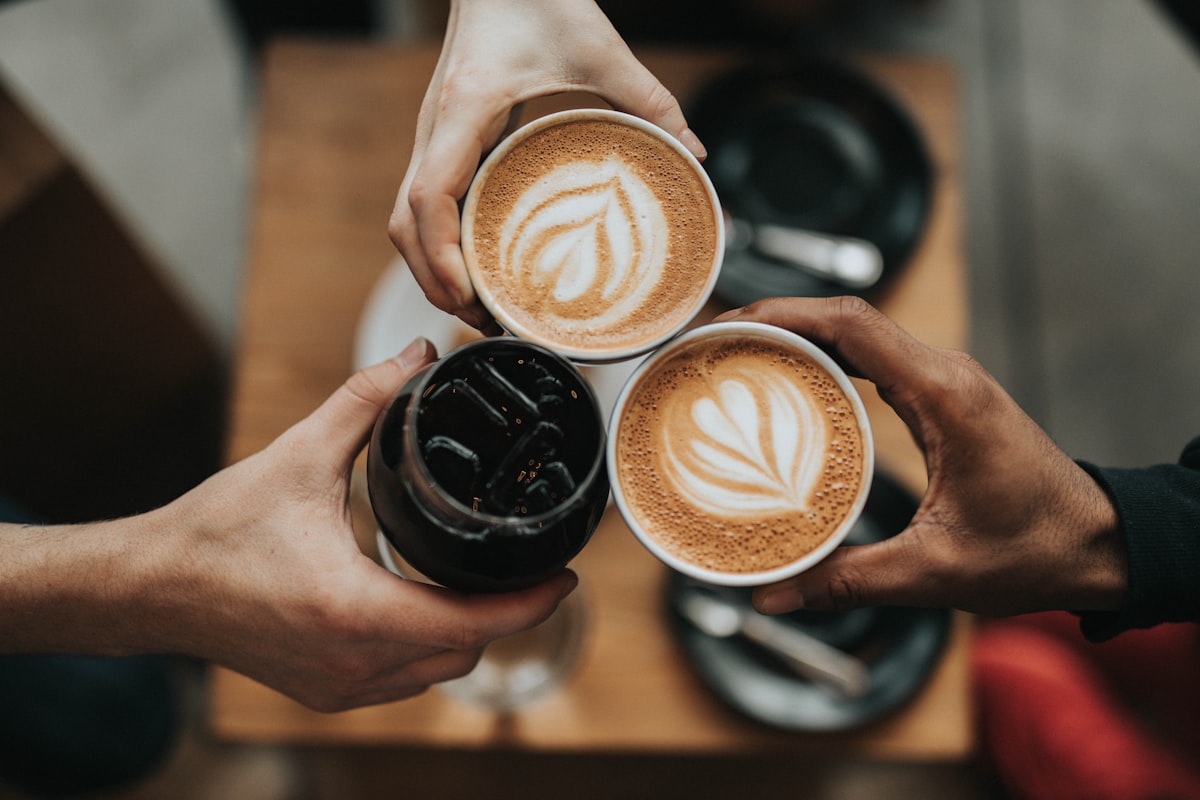
Most café menus in Egypt were designed for a different business. They started life as a laminated sheet of hot drinks, grew a sandwich section, then a breakfast page, then a hand-taped strip of "new" iced drinks, and now nobody can find the flat white. Meanwhile the chalkboard behind the bar shows a single origin that sold out on Tuesday.
This guide is for owners of coffee shops, specialty cafés and all-day cafés who want a QR menu that actually fits how a café sells: drinks first, food second, lots of small customisations, and prices that move every few months. You will get a category structure you can copy, a way to present specialty coffee without writing an essay per cup, a decision on chalkboard versus digital, and a one-week switch plan.
1Build the menu around the drink decision
In a café, the guest usually decides on a drink in the first few seconds and then maybe adds food. A restaurant menu does the opposite. So the order of your categories should follow the drink decision, not the order your kitchen prepares things.
A structure that works for most Egyptian cafés:
- Espresso bar: espresso, americano, cortado, flat white, cappuccino, latte, mocha. Keep it to the drinks your bar actually makes well.
- Brewed and specialty: V60, Chemex, AeroPress, cold brew, and whatever single origin is on this week.
- Cold and blended: iced lattes, frappés, iced Spanish latte, lemonades, smoothies. In summer, move this category to the top.
- Tea and non-coffee: tea, matcha, hot chocolate, sahlab in winter, fresh juices.
- Bakery: croissants, cookies, cakes. These are the add-on sale, so keep them right after the drinks.
- All-day food: eggs, sandwiches, bowls, salads.
Two rules keep this tidy. First, one drink is one item. A latte is not four items called Small Latte, Medium Latte, Oat Latte and Iced Latte. It is one item with a size choice and a milk choice. Second, cap each category at around ten items. If the cold drinks section has 22 entries, some of them are not selling, and your sales or scan data will tell you which.
Pro Tip
Put the item your bar is proudest of first in its category, with a photo. On a phone, the first two items in a category get far more attention than item nine, simply because nobody scrolls that far before choosing.
2Presenting specialty coffee without a lecture
Third-wave cafés have a real problem: the details that justify a higher price (origin, process, roast, brew method) are exactly the details that make a paper menu cluttered. A digital menu solves this with layering. The list shows the name and price; tapping the item opens the detail.
For each single origin, the item detail should answer four things in one or two lines:
- Where: country and region, e.g. Ethiopia, Guji.
- Process: washed, natural or honey.
- Taste: three tasting notes at most. "Peach, black tea, honey" tells the guest more than a paragraph.
- How to drink it: "Best as V60, also great as espresso."
Brew methods belong in the choice list, not in separate items. Set up the single origin as one item, then add a required single-choice group called "Brew method" with V60, Chemex and AeroPress, each carrying its own price adjustment if one takes longer or uses more coffee. Milk alternatives work the same way: an optional group with oat, almond and lactose-free milk, each with a price add-on. Menyo supports these customisation groups (sizes, add-ons, required or optional, single or multi-choice) on every plan, and you can apply one group to many items at once so you are not rebuilding the milk list on twelve drinks.
When a bag runs out, rename the item or swap its notes the same afternoon. Customers who scan a QR expect it to be current. That expectation is the whole point of moving off a printed list.
3All-day food: one menu or several?
Cafés that serve breakfast until noon and then switch to sandwiches and bowls have two options.
| Approach | How it works | Best for |
|---|---|---|
| One menu, labelled sections | A "Breakfast (until 12:30)" category sits above "All day". Staff decline late breakfast orders politely. | Small cafés, one kitchen station, a short breakfast list |
| Separate menus | A Breakfast menu and an All-day menu, and a Drinks menu that never changes. Guests switch between them in the menu. | Cafés with a real brunch program or different seating areas |
Most cafés should start with the first option. It is simpler to maintain and it avoids the guest who opens the "wrong" menu. If you go with separate menus, note that a single menu is included on Menyo's Starter plan ($19/month) and three menus on Growth ($49/month). You can also assign a different menu to specific tables, which is useful when the terrace is drinks-only and the inside tables get the full food list. For building out the breakfast side, see our guide on breakfast and brunch digital menus.
4Chalkboard, PDF or QR menu: what to keep
You do not have to pick only one. Each format is good at a different job.
| Chalkboard | PDF on a QR | Proper QR menu | |
|---|---|---|---|
| Changing a price | Minutes, but handwriting varies | Redesign and re-upload the file | Edit one field |
| Readable on a phone | Not applicable | Pinch and zoom | Built for phones |
| Photos and drink details | No | Static only | Per item, on tap |
| Shows the café's personality | Strongly | Weakly | Through photos and copy |
| Guest can order from the table | No | No | Yes, on ordering plans |
Our recommendation: drop the PDF entirely, because it combines the downsides of print with the downsides of a small screen. Keep the chalkboard if it is part of your identity, but use it for the two or three things that change daily (today's single origin, the cake of the day). Everything with a price that guests need to compare goes on the QR menu. If you are still weighing the PDF, this breakdown of what PDF menus cost you covers the arguments in detail.
5Menus for the laptop crowd
Workspace cafés in Maadi, Zamalek, New Cairo and Sheikh Zayed have a different economics problem: a guest who orders one cappuccino and stays four hours. The menu is one of your best tools for this, because it lets you set expectations without a staff member having an awkward conversation.
- State your policy in the café info section: for example, a minimum spend per two hours, or laptop-free tables at lunch.
- Create a "Work bundle" item, such as a filter coffee, a sandwich and a refill, priced slightly below the three items bought separately.
- Offer refills as a cheap item rather than free, so they are rung up and counted.
- Keep the Wi-Fi details at the counter or on a table card, not buried in the menu, so a guest has a reason to talk to staff once.
- Put power-hungry seating on specific table QR codes, so you can see from scans and orders whether those tables earn their space.
Remote workers hate leaving their laptop to walk to the counter. A call-waiter button or ordering from the table removes that friction, and it often means a second drink gets ordered instead of skipped. In Menyo, table ordering and the call-waiter button both start on the Growth plan.
Mistake: a separate "remote worker menu" with discounted prices for everyone who brings a laptop.
→ Fix: keep one menu and one price list. Use a bundle and a clear minimum-spend rule instead. Discounting for long stays pays people to occupy your tables.
6Switching a Cairo café from paper in one week
A realistic plan that does not disrupt service:
- Day 1: Photograph your current menu and let an AI menu scanner pull the items and prices into a draft. On Menyo this is included from Starter, with a monthly scan allowance. Then fix what it got wrong, which will be some item names and the odd price.
- Day 2: Restructure into the categories above. Merge duplicate drinks into one item with size and milk choices.
- Day 3: Photos. Shoot your ten best sellers against the same wall in daylight. Our phone food photography guide covers the setup.
- Day 4: Language. Write item names in English with the Arabic name underneath where guests use it (e.g. "Spanish latte" is fine in English; "sahlab" and "karkade" deserve their Arabic too). Full Arabic and English versions with a language switcher are part of Menyo's Professional plan; on lower plans you can still write both names in the item title.
- Day 5: Test on the cheapest Android phone your staff own, on your own café Wi-Fi, in the darkest corner. If the menu takes more than a few seconds to open, fix that before printing anything.
- Day 6: Print table cards and place them where a seated guest's eye lands, not flat under a saucer.
- Day 7: Brief staff on one sentence: "The menu is on the QR, and I can help if you prefer." Keep two printed copies at the bar for guests who ask.
7Frequently asked questions
Do Egyptian café guests actually scan QR menus?
Younger urban guests generally scan without being asked, while older regulars and some tourists prefer to be handed something. That is why you keep a couple of printed copies at the bar. Watch your own scan numbers for a month rather than relying on anyone's generalisation.
Should I show prices with VAT and service included?
Show the price the guest will actually pay wherever you can. If you add service or tax at checkout, say so clearly at the top of the menu. Surprise charges on the bill are one of the fastest ways to lose a regular.
How often should a café update its menu?
Prices whenever your costs move, single origins whenever the bag changes, and the overall structure once or twice a year, typically when you switch between the summer and winter drink lists.
Which Menyo plan fits a small café?
A café that only needs a menu can run on Starter at $19/month (one menu, three QR codes). If you want guests to order from the table and call staff, Growth at $49/month adds that. Compare the details on the pricing page.
8Where to start
Restructure your drinks first. Even if you never change anything else, a drinks-first menu with one item per drink and clear customisation choices will be easier to read, easier to update and easier for your baristas to ring up correctly. Then add photos, then ordering when you are ready. You can see how other café setups are organised on our café page, and once your menu is live, use our café pricing guide to check that each cup is priced to make money.
Start your café's QR menu on Menyo and have the drinks list live before the weekend rush.
Ready to digitize your menu?
Create a beautiful QR menu from a photo in minutes—the AI scan takes about 60 seconds. AI extracts items and prices automatically.
Try Menyo Free